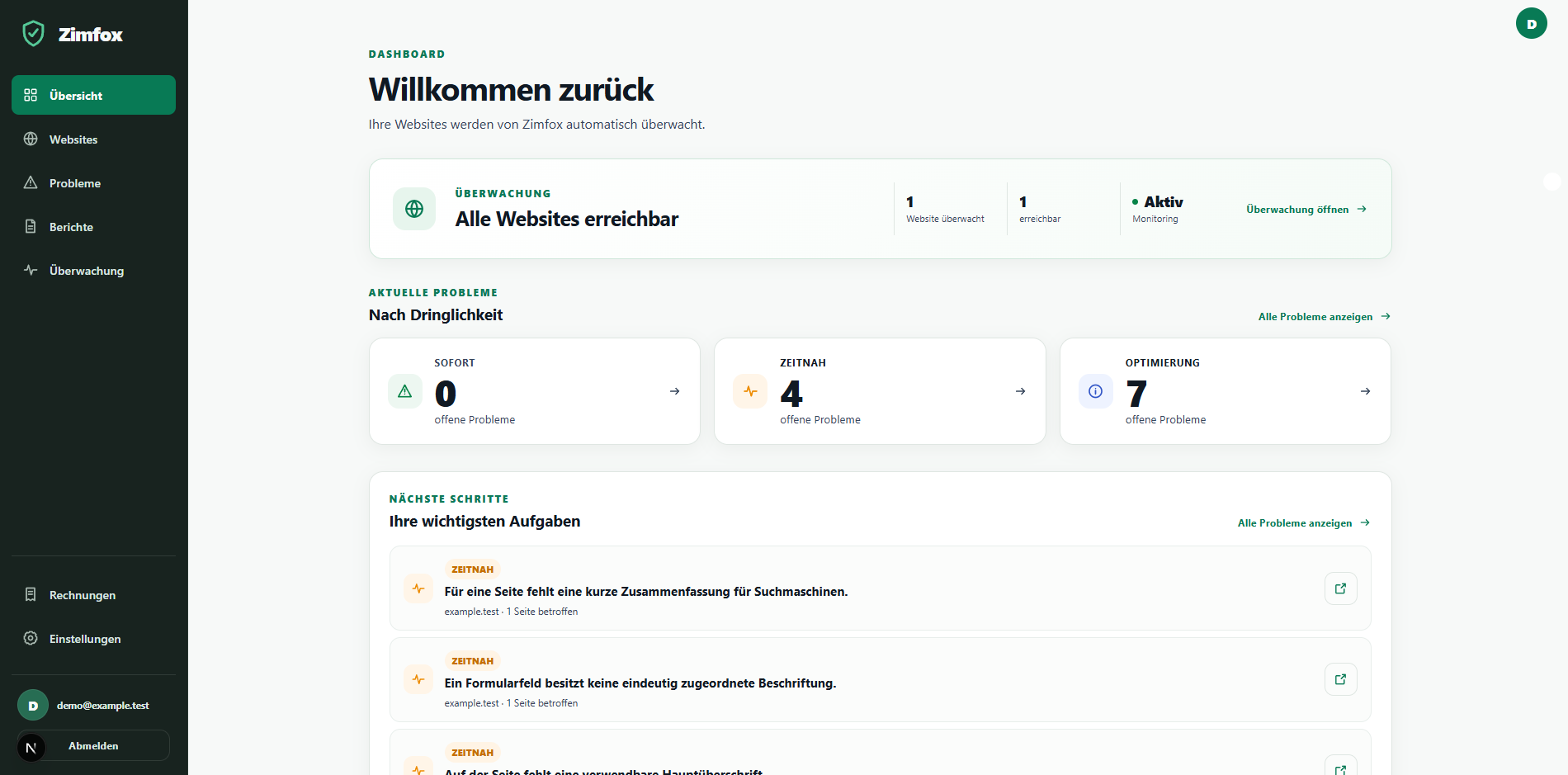
Run a compact check and get a clear overview of the most important results.
LIVE · Zimfox in real timeReal aggregated product data
790Pages scanned
6,110Problems detected
1,213Availability checks
15 minCheck interval
Everything important at a glance
Monitor, understand, act.
15-minute monitoring
Zimfox checks your website's availability regularly.
Weekly full check
A comprehensive scan rechecks content, structure and technology.
Immediate notifications
If email is enabled, you are notified when an outage is detected and when your website recovers.
Clear reports
Prioritised problems, clear explanations and actionable recommendations.
Problem rechecks
Supported problems can be rechecked specifically on known pages.
Processed securely
Security boundaries, owner isolation and a privacy-conscious public view protect your data.
64 checks. 5 areas. One clear report.
Every check answers one specific question and leads to a result you can understand.
SEO & discoverability
14 checks
Page titles, descriptions and signals that help search engines identify pages clearly.
Page title is missingChecks whether every page has a non-empty technical title for browsers and search results.
Page title is outside the guide rangeCompares the existing page title length with the Zimfox guide range.
Several pages share the same titleChecks whether different pages use the same technical page title.
Meta description is missingChecks whether a page has a non-empty summary for search engines.
Meta description is outside the guide rangeCompares the description length with the Zimfox guide range.
Several pages share the same descriptionChecks whether different pages use the same meta description.
Main heading is missingChecks whether the page has a visible, non-empty H1 main heading.
Page contains several main headingsChecks whether more than one heading is marked as the page's H1 main heading.
Heading levels skip a stepChecks whether the outline jumps directly between levels, for example from H2 to H4.
Preferred page address is missingChecks whether the page provides any canonical setting for its preferred address.
Preferred page address is unusableChecks whether canonical settings are invalid, duplicated or outside the website scope.
Valid canonical points to another pageChecks whether a usable canonical deliberately names a different address as the main version.
Page asks not to be indexedChecks whether a noindex instruction excludes the page from normal search indexing.
Page asks search engines not to follow its linksChecks whether a nofollow instruction is set for the links on the page.
Structure & accessibility
11 checks
Content, navigation, images and forms that people can understand and use.
No contact option detectedLooks across the website for supported contact details, forms or a contact page.
No dedicated contact page detectedChecks whether a clearly identifiable contact page exists when contact details are already present.
No provider-information page detectedLooks for a clearly identifiable provider-information or legal-notice page in the examined website area.
No privacy information page detectedLooks for clearly identifiable privacy information in the examined website area.
Page contains few internal linksCounts links from a page to other pages on the same website.
Important page has a deeply nested addressChecks the number of path segments in an important URL, not its actual menu position.
Image description is missingChecks whether informative images have suitable alternative text for assistive technology.
Form field has no connected labelChecks whether every field has a clear label that is technically associated with it.
Form field lacks an autofill purposeChecks whether suitable fields declare their purpose for browser autofill.
Form submission method is implicitChecks whether a form explicitly declares its native submission method.
Essential page semantics are unclearChecks page language, named buttons and links, and unique element IDs.
Technology & security
27 checks
Responses, resources, browser errors, secure delivery and maintainable software.
Page response & availability
Page returns a specific client errorChecks whether the server returns a 4xx response such as 404 for a page.
Page returns a server errorChecks whether the server responds to a page request with a 5xx error.
Connection to a page failsChecks whether DNS, connection setup or encryption fails before a reliable page response.
Redirect takes too many stepsChecks whether an address passes through at least three redirects before reaching its destination.
HTML element repeats an attributeChecks whether the same technical attribute appears more than once on an HTML element.
Response is not usable HTMLChecks whether the server delivers a different content type instead of a normal HTML page.
Links & resources
Internal link has a confirmed broken targetChecks whether a link within the website reaches a confirmed 404 or 410 destination.
Internal link target is not reliably reachableChecks whether an internal destination fails because of a server or connection problem.
Image file cannot be reachedProbes the image address directly for failed or erroneous delivery.
First-party script request failsSpecifically checks for failed script files served by the website itself.
First-party stylesheet or font request failsChecks for failed presentation resources from the website itself, such as CSS or fonts.
External provider resource failsChecks for failed browser resources or services supplied by an external provider.
Browser errors
Real browser cannot finish opening the pageChecks separately from the server request whether real browser navigation fails because of the website.
Page code triggers an uncaught runtime errorObserves uncaught runtime errors from first-party JavaScript in the browser.
Asynchronous task fails without handlingDetects unhandled failures from asynchronous first-party tasks in the browser.
Same browser error occurs repeatedlyGroups repeated console messages from the same safe error category.
Transport & security
Secure address redirects to HTTPChecks whether a redirect sends an HTTPS address to an unencrypted HTTP destination.
Form destination is unsafe or unexpectedChecks a form's configured destination without submitting any data.
Page does not use an encrypted connectionChecks whether the page itself is delivered over HTTPS rather than unencrypted HTTP.
HTTPS page references an HTTP resourceLooks in the page content for unencrypted resource addresses.
Browser security headers are missingChecks the server response for CSP, nosniff and, on HTTPS pages, HSTS.
Browser blocks an insecure resourceObserves whether the browser actually blocks HTTP content on an HTTPS page.
Software maintenance
PHP version is no longer supportedChecks whether the detected server version has reached the end of official support.
PHP version receives security fixes onlyChecks whether the detected version is already in its final support phase.
WordPress core update is availableCompares the detected WordPress version with the authoritative maintenance reference.
WordPress plugin update is availableChecks each detected plugin for an available newer version.
WordPress theme update is availableChecks each detected theme for an available newer version.
Performance
7 checks
Early structural indicators and real browser measurements of page weight and loading.
Static indicators
HTML document is unusually largeMeasures whether the basic HTML response alone is larger than 500 KiB.
Image loading or sizing settings can be improvedStatically checks image dimensions and suitable loading hints.
Static page structure shows early performance indicatorsChecks script, stylesheet and image counts or request duration without a browser measurement.
Browser measurements
Real browser navigation takes unusually longMeasures actual browser navigation time and reports durations above 15 seconds.
Browser requests an unusually large number of resourcesCounts the real network requests made while opening the page in a browser.
Browser transfers an unusually large amount of dataMeasures the real amount of data transferred during the browser visit.
Rendered page contains a very large number of elementsCounts the DOM elements actually created by the browser after loading.
Browser & mobile
5 checks
Presentation and usability in a real mobile browser check.
Mobile viewport setting is missingChecks whether a page provides the basic instruction used for sizing on phones.
Mobile viewport setting is incompleteChecks whether the existing viewport setting matches the device width.
Mobile page extends beyond the screenMeasures clearly over-wide content and affected elements in a mobile browser.
Large share of text is extremely small on mobileMeasures whether a substantial share of visible text falls below the mobile size threshold.
Large fixed element covers page contentDetects large banners, pop-ups or other fixed overlays in a mobile browser.
The automated checks provide reliable indicators within the inspected scope. They do not replace a complete manual accessibility or security audit.
HOW ZIMFOX WORKS
From monitoring to resolution.
Zimfox monitors your website, finds problems and explains what to do next. When needed, invite your developer to collaborate, then check directly whether the change worked.
01
Monitor
Is your website available?
Zimfox checks your website's availability every 15 minutes and notifies you when it goes down and when it recovers.
02
Check
64 website checks.
Your website is regularly checked for SEO, technology, security, structure, performance and browser presentation.
03
Understand
Know what matters.
Findings are explained clearly and classified as URGENT, SOON or IMPROVEMENT.
04
Resolve together
Bring in your developer.
Invite your developer to Zimfox so you can review and work through identified problems together.
05
Recheck
Fixed? Check directly.
After a change, individual problems can be rechecked directly. Zimfox shows whether the problem remains or has been resolved.
We keep watch, while you sleep.
Zimfox checks availability every 15 minutes. When an outage is detected and when the website recovers, the system notifies you according to your notification settings.
Outage detected
Notification
Recovery message
ZIMFOX MONITORING
One website. One price. Everything included.
Continuous monitoring, full checks and clear reports in one package.
15-minute availability monitoring
Weekly full website check
64 customer-relevant website checks
3 manual full checks per day and website
Recheck individual problems
Full reports and PDF reports
Outage and recovery notifications
WordPress, plugin and theme update checks when reliably detected